Using itPost one article
Write your article
Exactly like you do now — nothing changes.
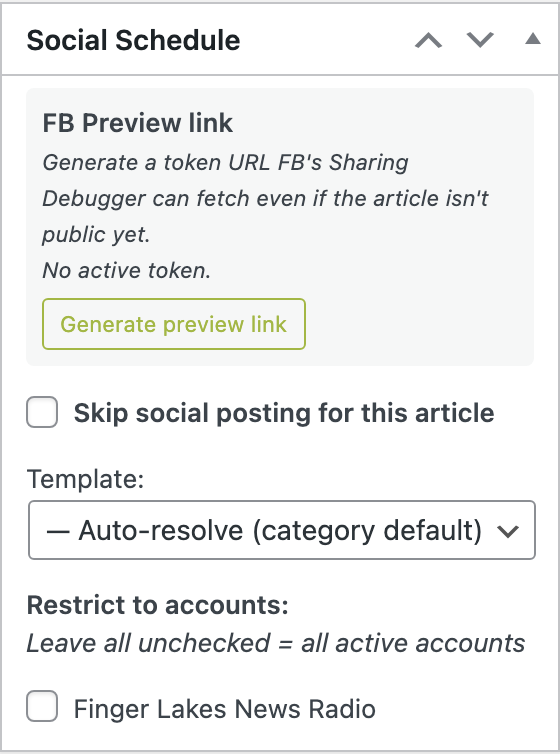
Open the “Social Schedule” box and set it up
It's below the article editor — start a new article or open an existing one, then scroll down. Three things you can touch — all optional:
Template = how often it posts (leave on default = one post). Facebook post text = leave blank and AI writes it on publish, or click Draft with AI to write it now and edit it. Skip = tick to not post this one at all.
Publish or schedule it
Use the normal Publish button. Schedule it for Saturday morning and walk away — the Facebook post fires on its own.
Under the hoodHow it runs, start to finish
The moment an article publishes, this happens on its own:
- Is this article allowed to post?National news, entertainment, police blotter, and obituaries are skipped automatically — they never auto-post. Local stories continue. (You can also tick “Skip” on any single article.)
- How many posts, and when?It reads the article's Template to decide the cadence — one post by default, or more if you chose a multi-touch template.
- What does the post say?Your typed text wins. If you left it blank, AI writes a fact-based caption from the article (names the town, no hype, no emoji). If even the AI decides it isn't real local news, it's skipped. Worst case, it falls back to the headline + summary.
- When exactly does it go out?A 15-minute hold after publish, so there's time to catch a typo. And only during the day — see the timing rules below. Nothing posts at midnight. When several stories publish close together, they're spaced at least 20 minutes apart (the weather forecasts count too) so the feed doesn't flood.
- It posts to Facebook.Goes to the Finger Lakes News Radio Page as a link post — the article's photo + headline + a clickable link (with hidden tracking so we can see how many readers it brings).
- If something goes wrongIt retries a few times, then alerts the team in #fldn-social on Slack. Nothing fails silently.
What posts and what's skipped
| Category | Behavior |
|---|---|
| Local News + town categories (Geneva, Penn Yan, Canandaigua…) | posts |
| National News, Entertainment | skipped — not local |
| Police Blotter, Obituaries | skipped — handle by hand |
| Any article with “Skip” ticked | skipped |
Who writes the post text
| If… | Then the post uses… |
|---|---|
| You typed something in “Facebook post text” | Your words, exactly. |
| You left it blank (AI is on) | An AI-written, fact-based caption (you can still edit it during the 15-min hold). |
| AI is off or errors | The article's headline + summary. |
Timing — when posts go out
| Article publishes… | Facebook post fires… |
|---|---|
| During the day (7am–9pm ET) | ~15 minutes later |
| Overnight (9pm–7am ET) | Held until ~7am the next morning |
About the AI caption
It's trained on FLDN's voice: calm, factual, local-newsroom — it leads with the town, adds a fact the headline doesn't, and never uses hype or emoji. Click Draft with AI to generate one while you're writing, edit it however you like, then publish. Leave the box blank and it drafts automatically on publish.
BulkLine up a whole weekend at once
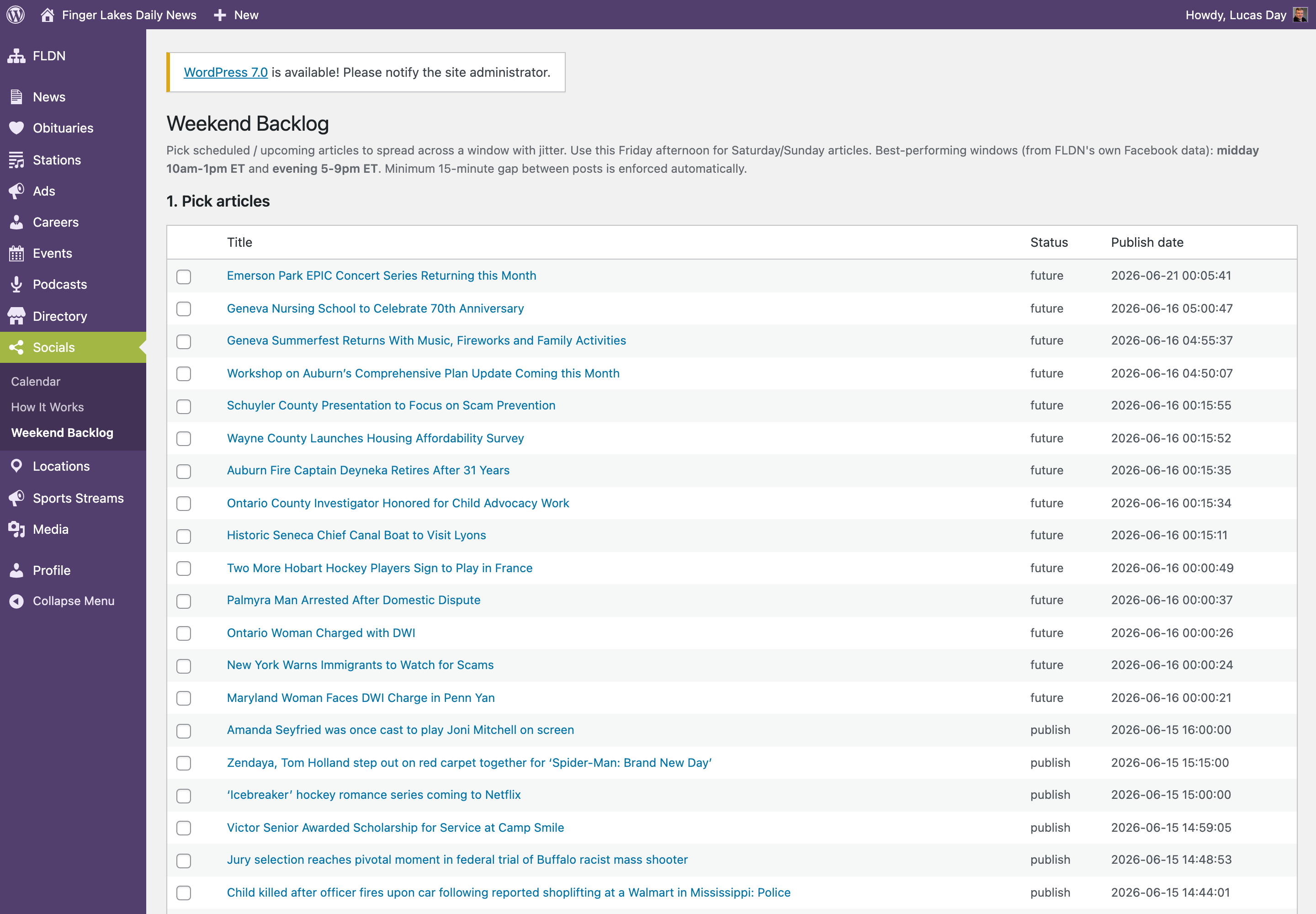
Friday afternoon, send out Saturday + Sunday in one shot: Socials → Weekend Backlog.
- Check the articles you want posted.
- Set a start and end time — they're spread out evenly, at least 15 minutes apart.
- Hit Schedule backlog. Done.
CheckSee what's scheduled
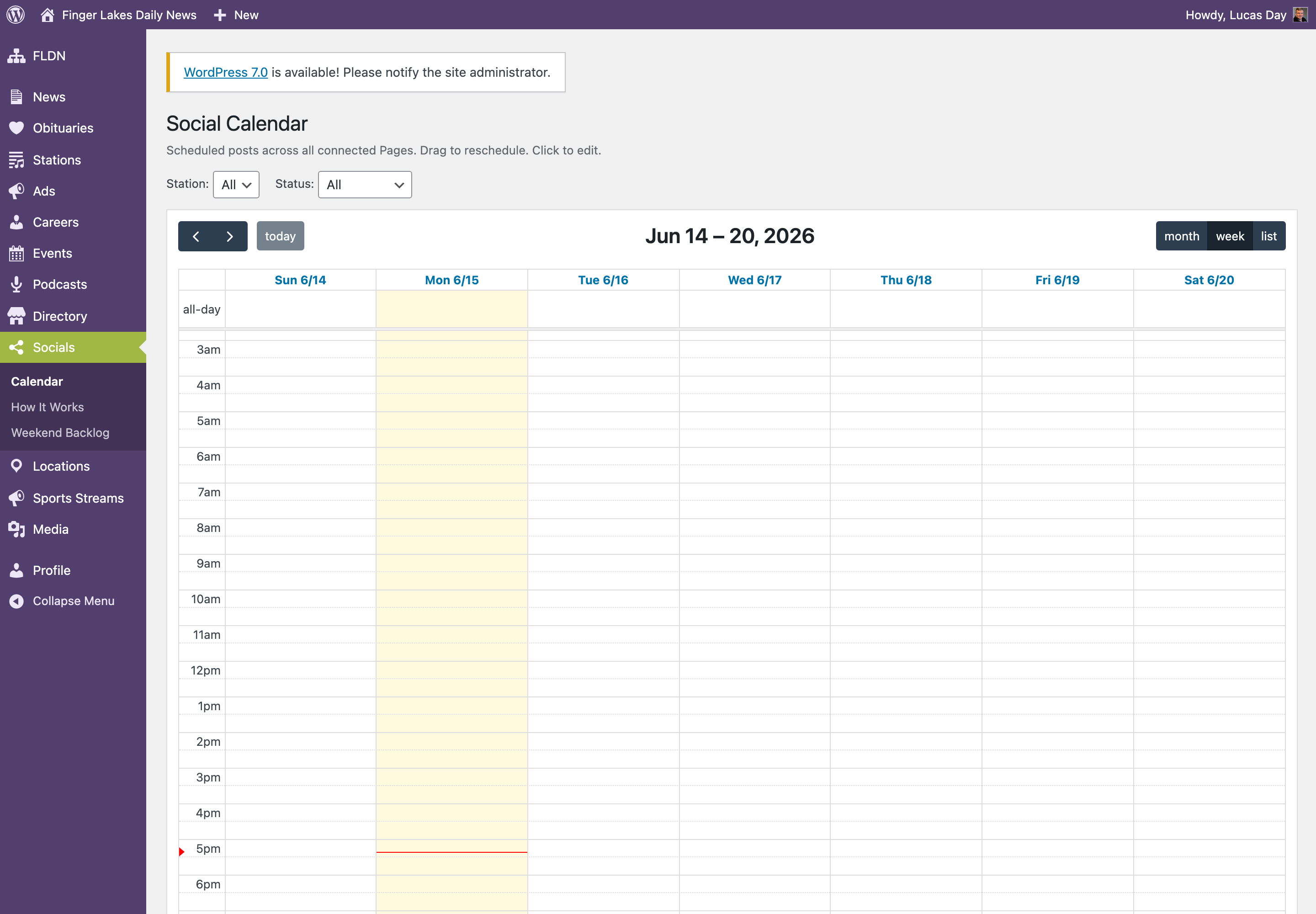
Socials → Calendar shows every post — scheduled, posted, or needs attention. Click any item to edit or reschedule it.
Good to know: each article posts once by default — usually the strongest move. Police blotter and obituaries never auto-post. Questions, or want a different rhythm or a new posting window? Ping Scott.